
Faster crew assignment
Dispatch the right people sooner instead of digging through messages and ad hoc lists.
Schedule jobs, assign crews, and keep changing field work visible so office coordinators and mobile teams stay aligned throughout the week.
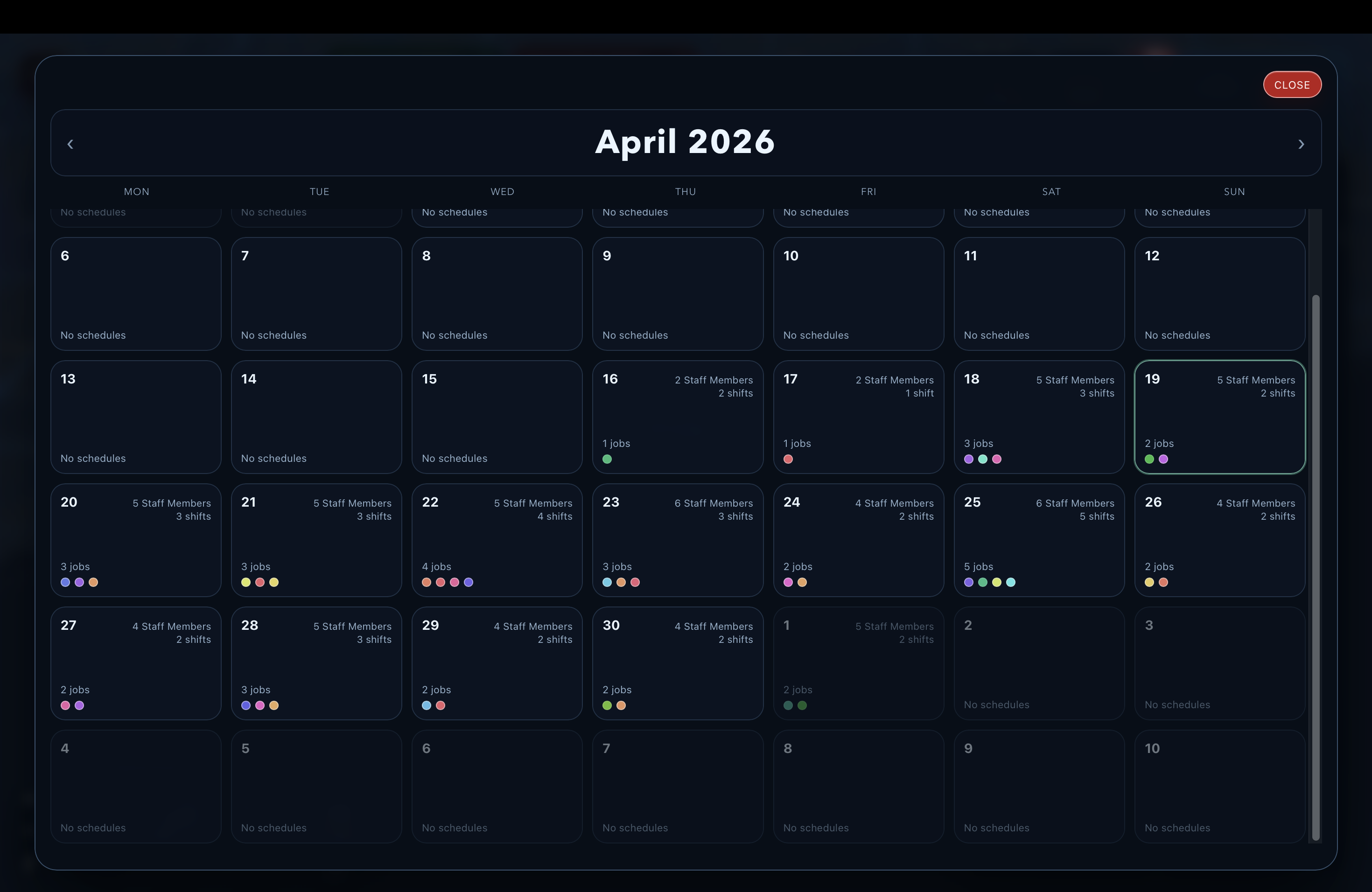
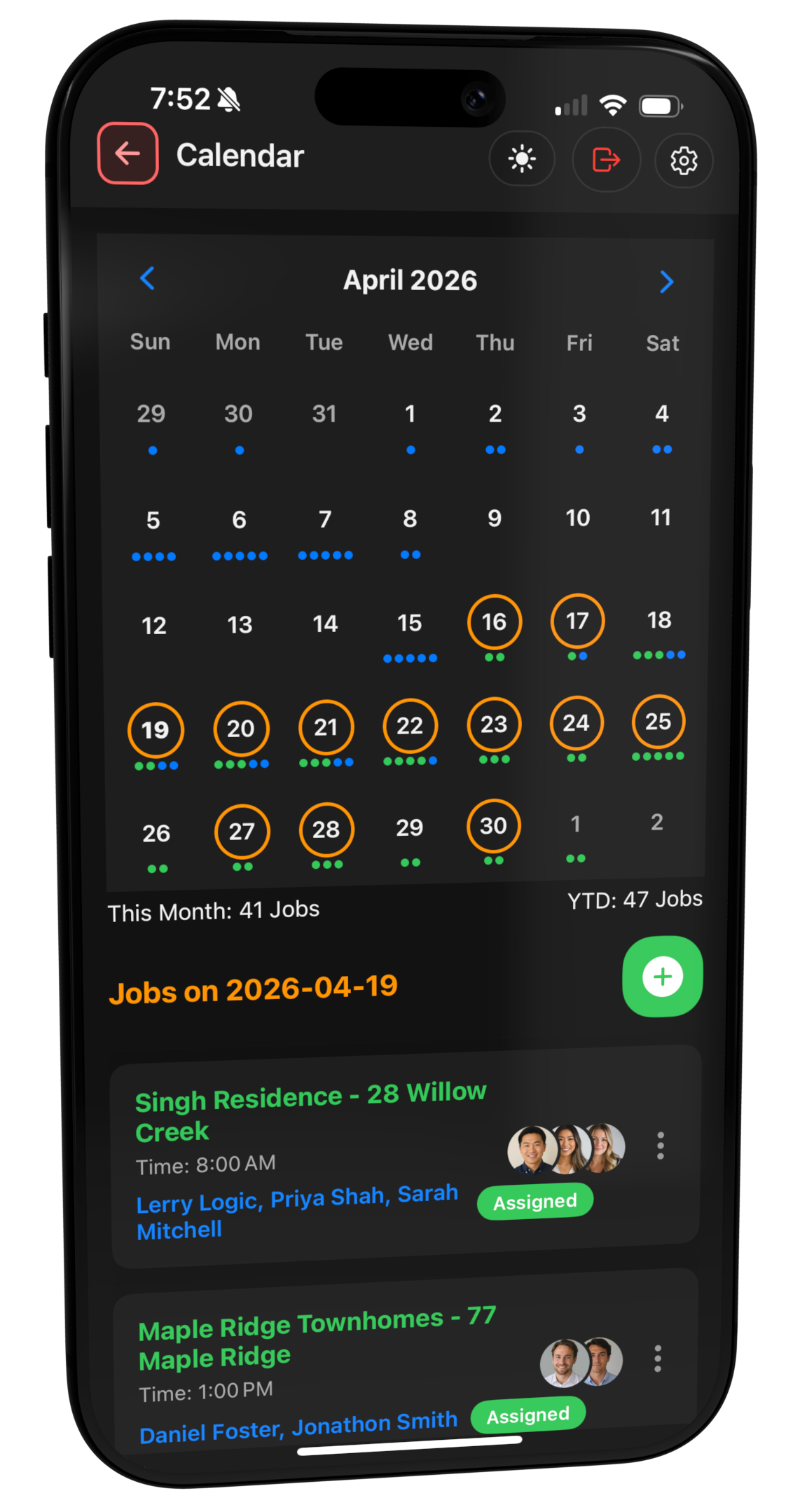
Contractor scheduling software should help the office assign jobs quickly, keep crews aligned, and react when the day changes without turning dispatch into a chain of calls, texts, and spreadsheet edits.
Dispatch the right people sooner instead of digging through messages and ad hoc lists.

Keep schedule changes more visible so customers and crews are less likely to be surprised.

See upcoming work more clearly so overloaded days and open gaps are easier to spot.

Reduce the friction between what was planned in the office and what actually happens on site.
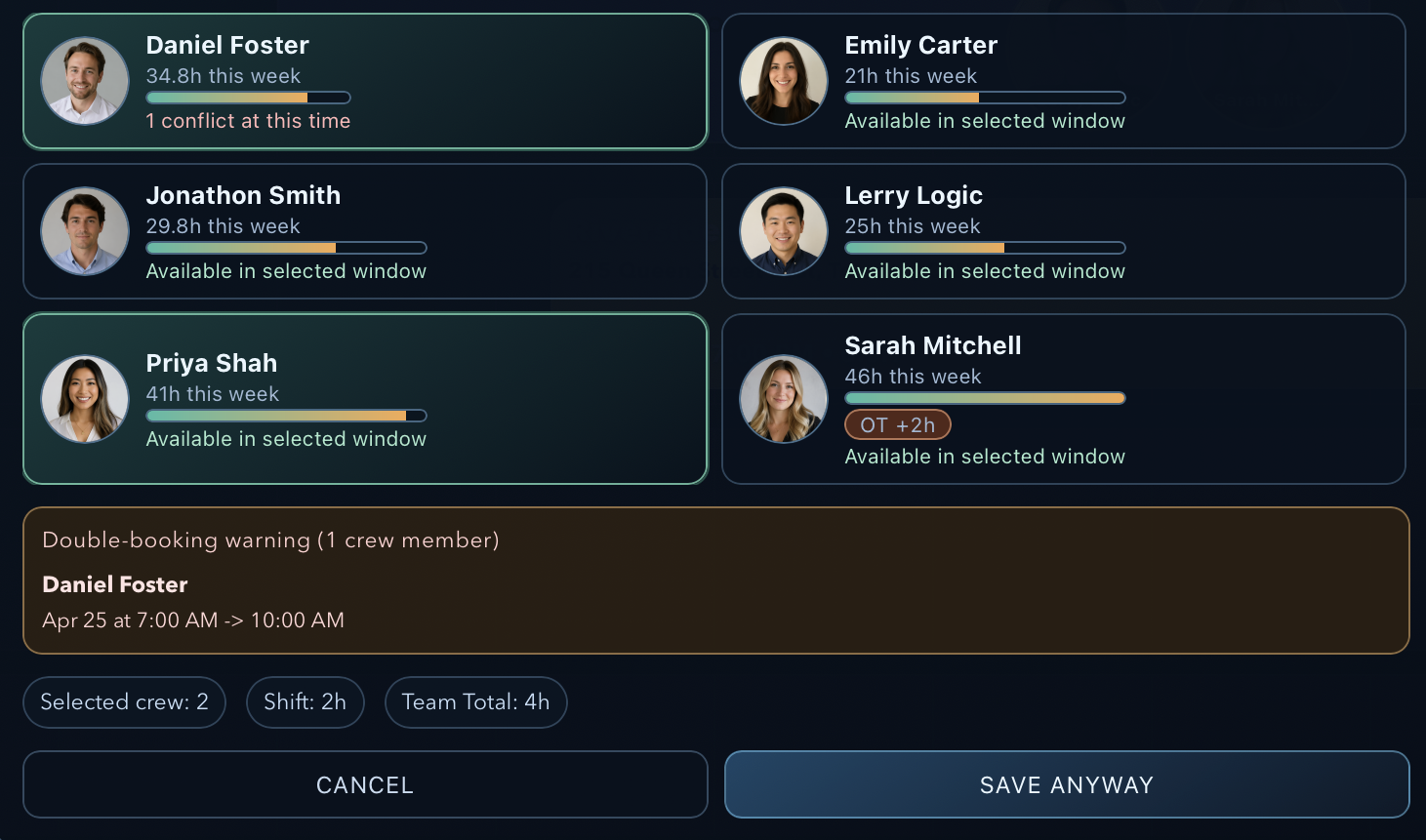
Logic Lens brings a higher standard to crew scheduling with a clean, visual interface built for fast decisions. Office coordinators can instantly see who is assigned, who is available, who is already booked, and who is nearing overtime - all in one polished view designed to reduce friction and keep jobs moving.
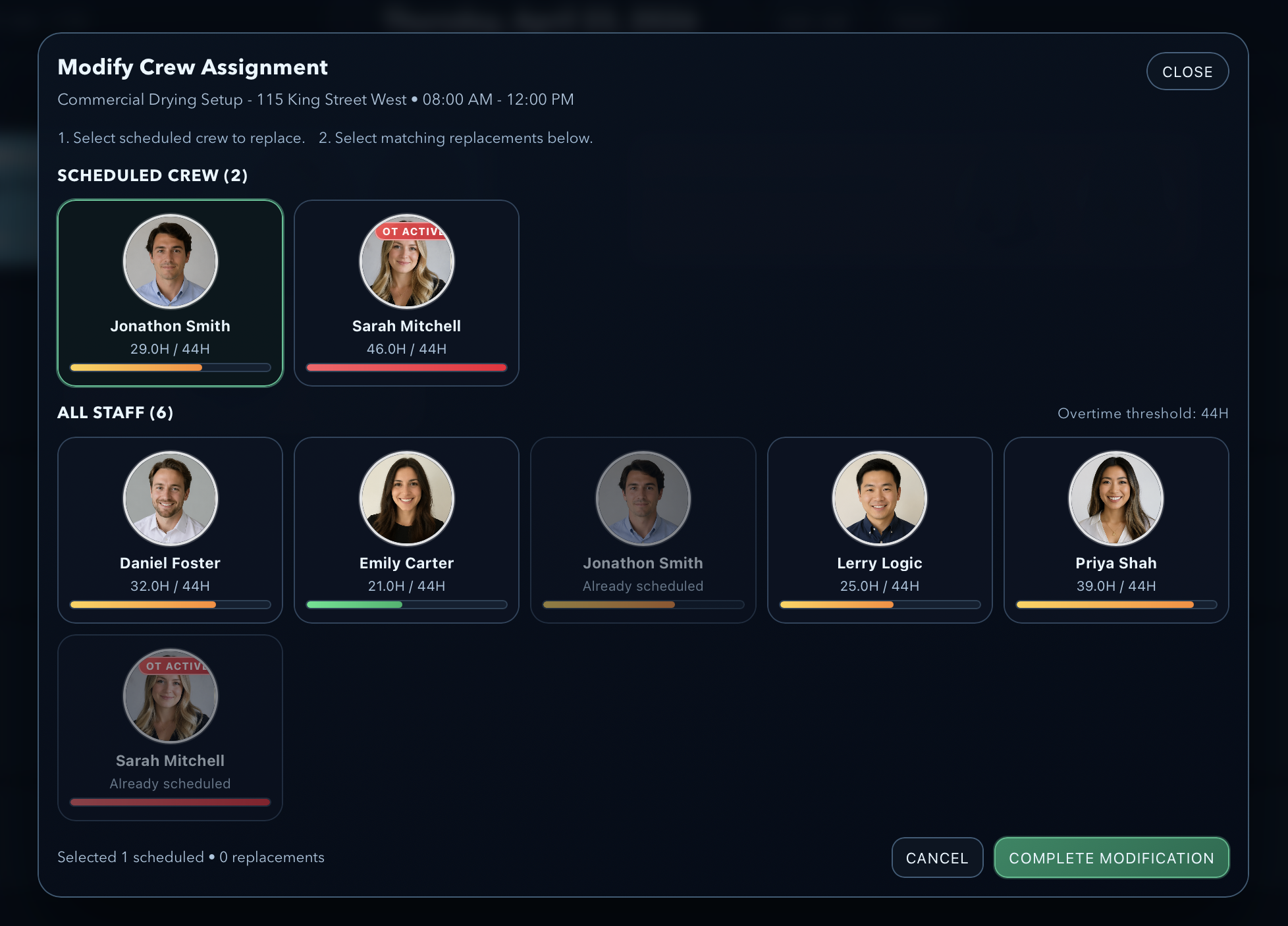
When schedules shift, teams need answers fast. Logic Lens makes it easy to review assigned crew, compare replacement options, and complete changes without slowing down the rest of the day.
Hour tracking and overtime warnings are surfaced directly inside the scheduling experience, helping managers make smarter labour decisions before extra hours become extra cost.
Instead of bouncing between calls, notes, and spreadsheets, coordinators can handle reassignment in a structured visual flow that is easier to read, easier to trust, and easier to act on.
This is scheduling built around how contractors actually operate. Crew planning stays connected to real jobs, real workloads, and real availability so the office can make decisions with better context.
Faster crew swaps, fewer scheduling mistakes, stronger overtime control, and a more professional dispatch experience from the office to the field.
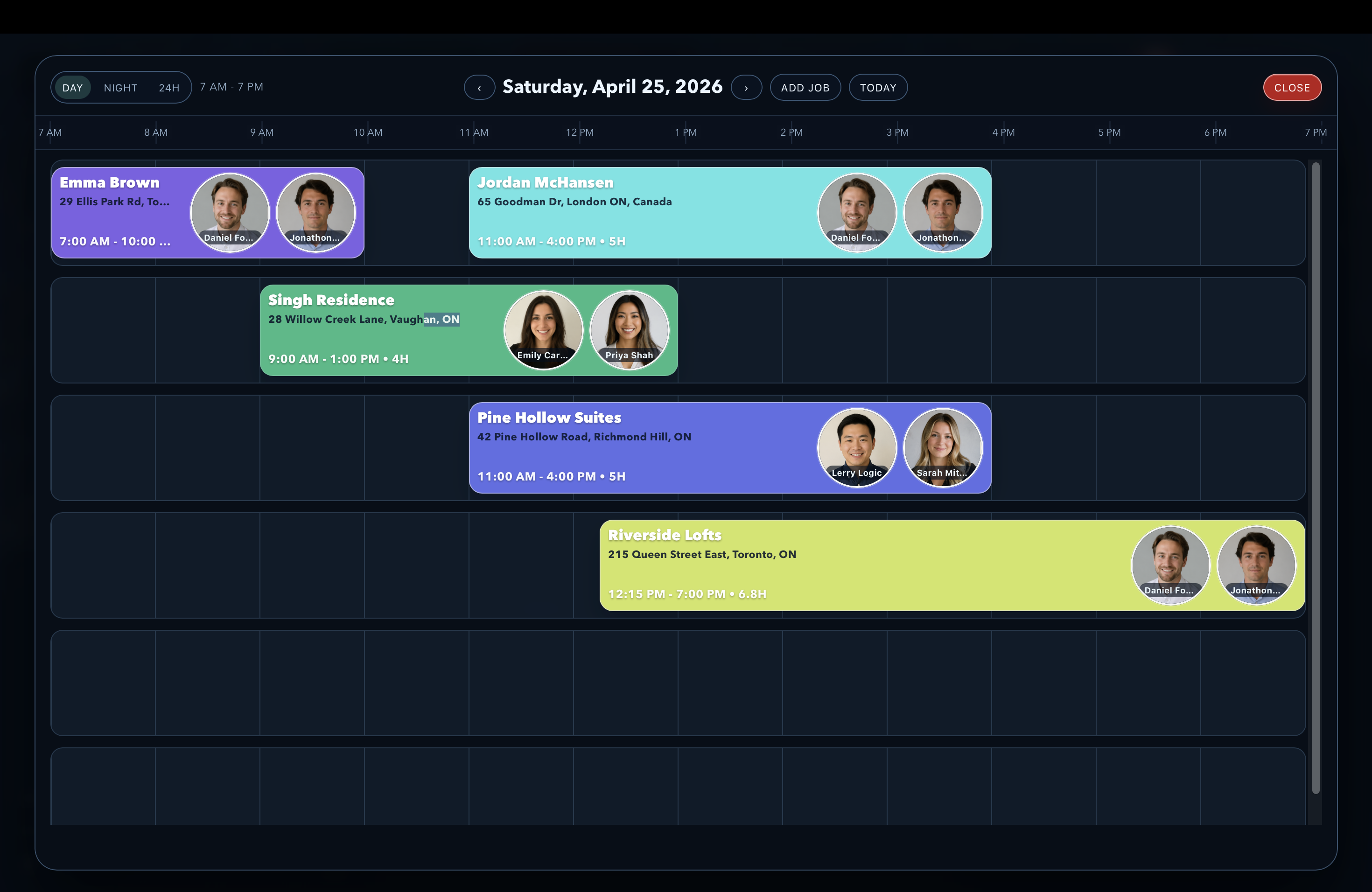
The daily schedule should do more than show appointments on a timeline. It should help the office shape the day, respond when timing shifts, and keep every adjustment connected to the real job workflow. Logic Lens gives contractors a more visual way to manage active work as the day unfolds.
Office staff can map out visits, assign crews, and organize the day in a schedule that is easy to scan, easy to understand, and built for real operational use.
When timing changes, the office can update the schedule in a fluid, structured way that helps the team adapt quickly without turning small changes into dispatch chaos.
A clearer daily view helps coordinators, managers, and field teams stay on the same page about timing, assignments, and what needs to happen next.
This is not a disconnected calendar layer. Schedule changes remain tied to the broader workflow so staffing, timing, follow-up visits, and next-phase work stay organized together.
Contractor scheduling rarely stays untouched. Crews get double-booked, hours run long, availability changes, and the office has to make fast decisions without losing control of the day. Logic Lens helps coordinators spot conflicts earlier, see who can take the work, and make schedule changes with better visibility into crew hours, overtime, and availability.
See how Logic Lens helps contractor teams assign work faster, keep crews aligned, and manage changing schedules with less missed context between office planning and field execution.
Extra detail for teams comparing restoration software workflows and trying to understand how this feature fits into the larger operation.